How to Save TikToks and Reels So You Can Find Them Again
Saved TikToks and Reels pile up in three apps and never get watched. A simple saving habit, plus a way to search what is inside the videos later.
4 min read. Updated October 23, 2026.

Mapable: AI Notes & Journal for iPhone
Capture a thought, voice note, photo, screenshot, link or short video. Mapable files each one into a few topics drawn as a map, and you ask your notes in plain words to get an answer with the notes it came from.

Free to download. Plans and offers are shown in the store.
Available in English, French, Spanish, Brazilian Portuguese, German and Italian.
I dictate my thoughts on the go while walking and the app does a magical job: it sorts them, pulls out my to-do lists and even picks up my mood. A huge time saver!
Thoughts, voice notes, photos, screenshots and links. Share TikTok, Instagram Reels and YouTube videos from the share sheet and Mapable remembers what is inside, down to the moment. Dictate by voice in any text field.
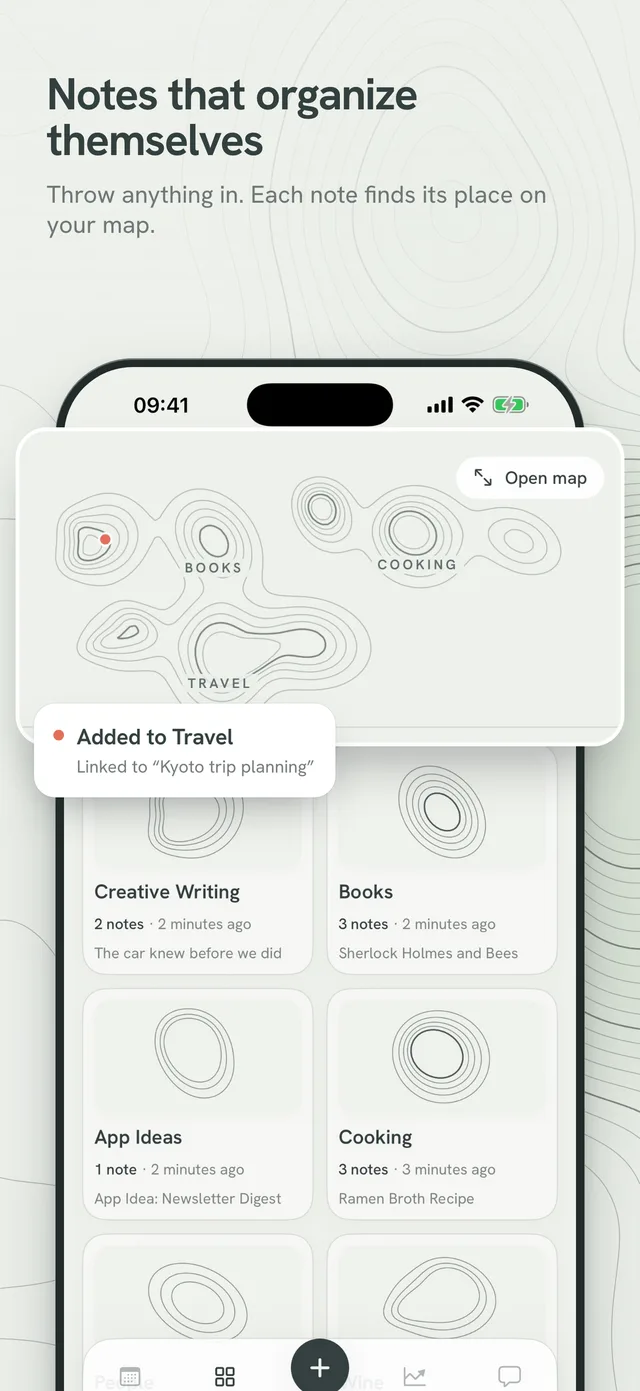
Each note lands in one of a few stable topics automatically. Your topics are drawn as a map, and related notes link up on their own. No folders and no tags to set up.
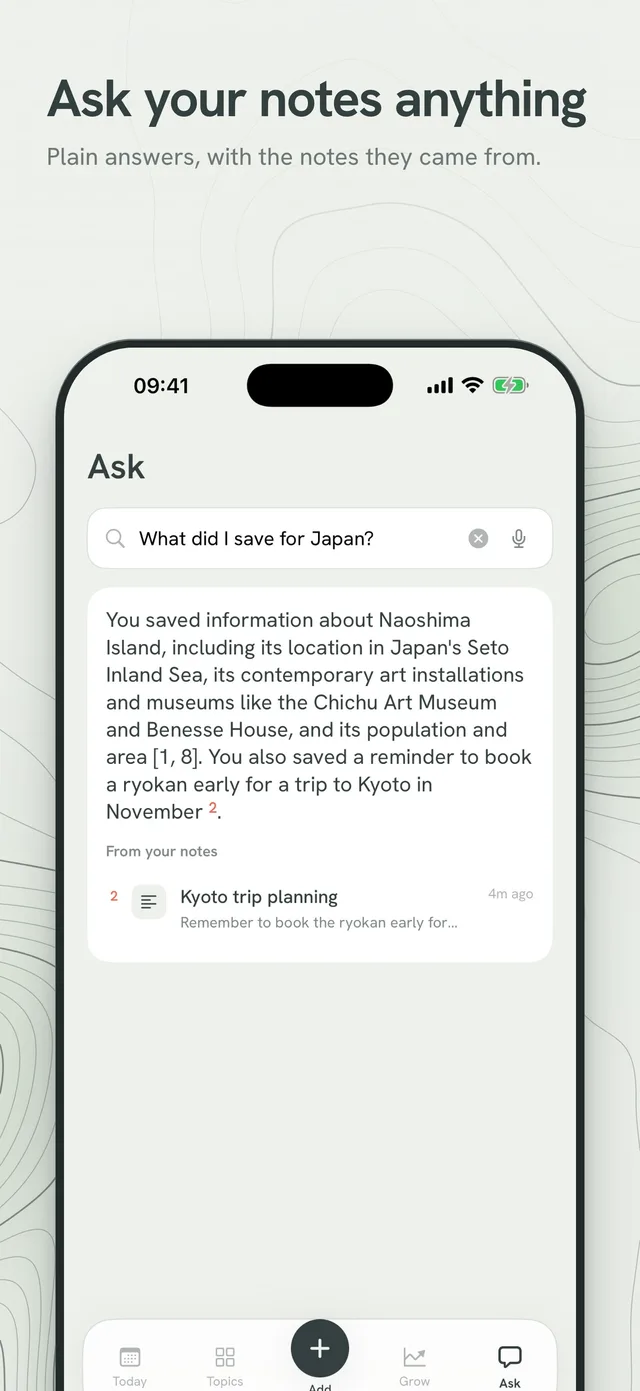
Ask in plain words, like "where was that ramen place?", and get an answer in your language with the notes it came from.
Today shows your calendar, todos and a note from a while ago. Mapable spots todos, dates, goals and habits inside your notes and suggests them, and nothing is added without your tap.
Note your mood with a few words in the evening, and get a weekly review of what grew this week, as a map you can share.
I dictate my thoughts on the go while walking and the app does a magical job: it sorts them, pulls out my to-do lists and even picks up my mood. A huge time saver!
No more jungle of loose notes. The automatic categorisation and theme detection work wonderfully.
Extracting tasks and key ideas from simple voice notes or messy notes is just impressive. An essential tool for creative minds.
Feedback from people who tried Mapable before launch. Names shortened.
Plans and offers can differ between the App Store and Google Play, and are shown in the store before you subscribe.
Saved TikToks and Reels pile up in three apps and never get watched. A simple saving habit, plus a way to search what is inside the videos later.
4 min read. Updated October 23, 2026.
Speaking a note is fast, but audio is hard to search. Three ways to turn voice notes into text on an iPhone, and a short habit that keeps them findable.
3 min read. Updated October 23, 2026.
Handwritten vs typed notes: a 2014 study, a 2021 replication and a 2024 meta-analysis pull in different directions. See what holds up and how to choose.
6 min read. Updated October 22, 2026.
A brain dump for studying means writing everything you recall on a blank page, then comparing it with your notes. Steps, timings and a worked gap table.
5 min read. Updated October 22, 2026.
Take notes in an online class whether it is live, recorded or self-paced. Pause on a schedule, log timestamps, fix gaps by rewinding and review in a day.
6 min read. Updated October 22, 2026.
Make cute aesthetic notes in minutes: a small colour palette, clear headers, simple doodles and a layout rule so pretty notes still work for studying.
5 min read. Updated October 21, 2026.
A daily note is one page per day for your tasks and thoughts. Start tiny, pick a fixed format, tie it to a routine and skip the blank-page problem.
5 min read. Updated October 21, 2026.
A brain dump moves everything out of your head and onto a list. Use this 2-minute method, the prompts that unstick you and the mistakes that waste it.
6 min read. Updated October 21, 2026.
Take meeting notes that capture decisions, owners and deadlines instead of a transcript. Includes a copy-paste template and a 30-minute follow-up routine.
5 min read. Updated October 21, 2026.
Take notes in class without writing everything down. Learn what to capture, what to skip, how to spot what matters and how to review in 24 hours.
6 min read. Updated October 21, 2026.
Take notes on your phone in a few taps: set up one capture spot, use voice and screenshots on the move, and clear your inbox weekly so nothing gets lost.
6 min read. Updated October 21, 2026.
Organise notes without folders you never use. Start with one place, add headings, split notes and make folders only when a pile gets too big.
5 min read. Updated October 21, 2026.
You emptied your head and now have a wall of items. Cut the list down, pick two or three things for today and shrink each one into a first move.
6 min read. Updated October 21, 2026.
Mapable is an AI notes and journal app that works as a second brain. You throw in a thought, a voice note, a screenshot, a link or a short video, and it files each one into a few topics and draws them as a map.
No. Every note lands in one of a few stable topics automatically, and related notes link up on their own.
Yes. Share them to Mapable from the share sheet and it remembers what is inside, down to the moment, so you can ask about it later.
Ask in plain words, like "where was that ramen place?". Mapable answers in your language and shows the notes it used.
Mapable spots todos, dates, goals and habits inside your notes and suggests them. Nothing is added until you tap.
English, French, Spanish, Brazilian Portuguese, German and Italian.
Mapable is free to download, with daily and weekly allowances. Mapable Pro takes the limits off. Plans and offers are shown in the store before you subscribe.
Throw in a thought, a link or a TikTok. It files itself and answers when you ask.
Mapable is made by EASYTECH, an independent app studio in Annecy, France. Privacy policy · Terms of use. For iPhone.